Onyx One · Product
Everything waiting on a decision, in one place.
Approvals· Included in every plan
Variations, purchase requests, timesheets and leave all land in one categorised queue, with who asked for it and the buttons to decide. The crew get their own view of what they have raised and where each request has got to.
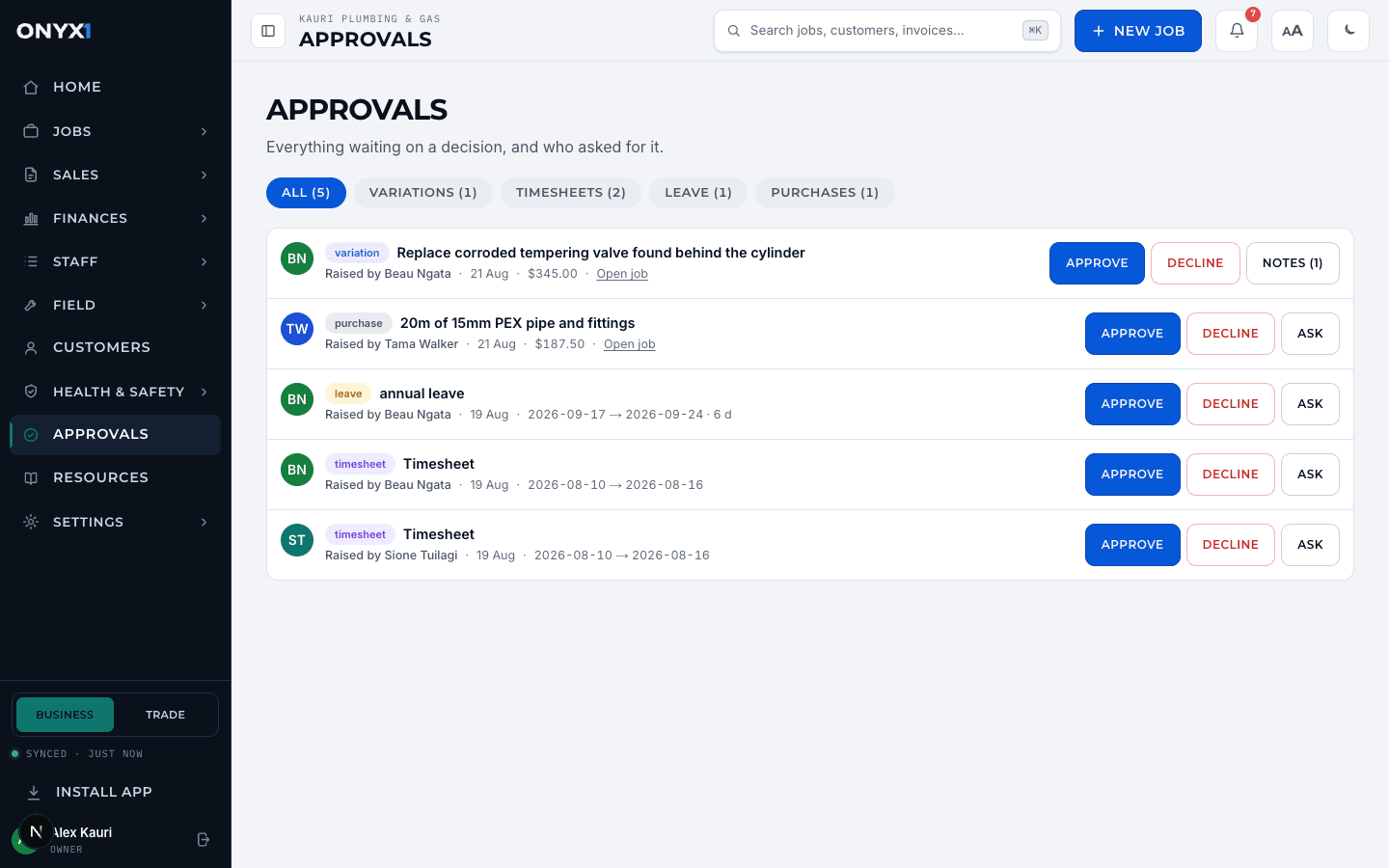
One queue, four categories
Variations, timesheets, leave and purchase requests, filtered by tabs with live counts. Nothing waits in four different screens any more.
Who asked, at a glance
Every row carries the requester's name and face, the date, and the dollar figure where your role is allowed to see one.
Ask before you decide
Open a thread on any request and ask a question. The requester gets a notification on their phone, answers in place, and the whole exchange stays attached to the item.
The crew see where things sit
Techs and contractors get their own view: everything they have raised, with a clear waiting, approved or declined status on each.
Decided once, recorded forever
Every decision stamps who decided and when, writes to the audit log, and notifies the requester. Two managers cannot both decide the same item.
No self-approval
Nobody approves their own timesheet or leave. The rule is enforced in the system, not in a policy document.
Be quoting this week.
Start a free trial and be quoting, scheduling and invoicing this week. No card, no sales call, no migration headache.
You create your account on onyx1.app. Fourteen days free, the full Pro feature set, no credit card.