Digital business cards for your crew
Give each person a card in your company colours. Share it by QR code or link so customers can save your contact without installing anything.
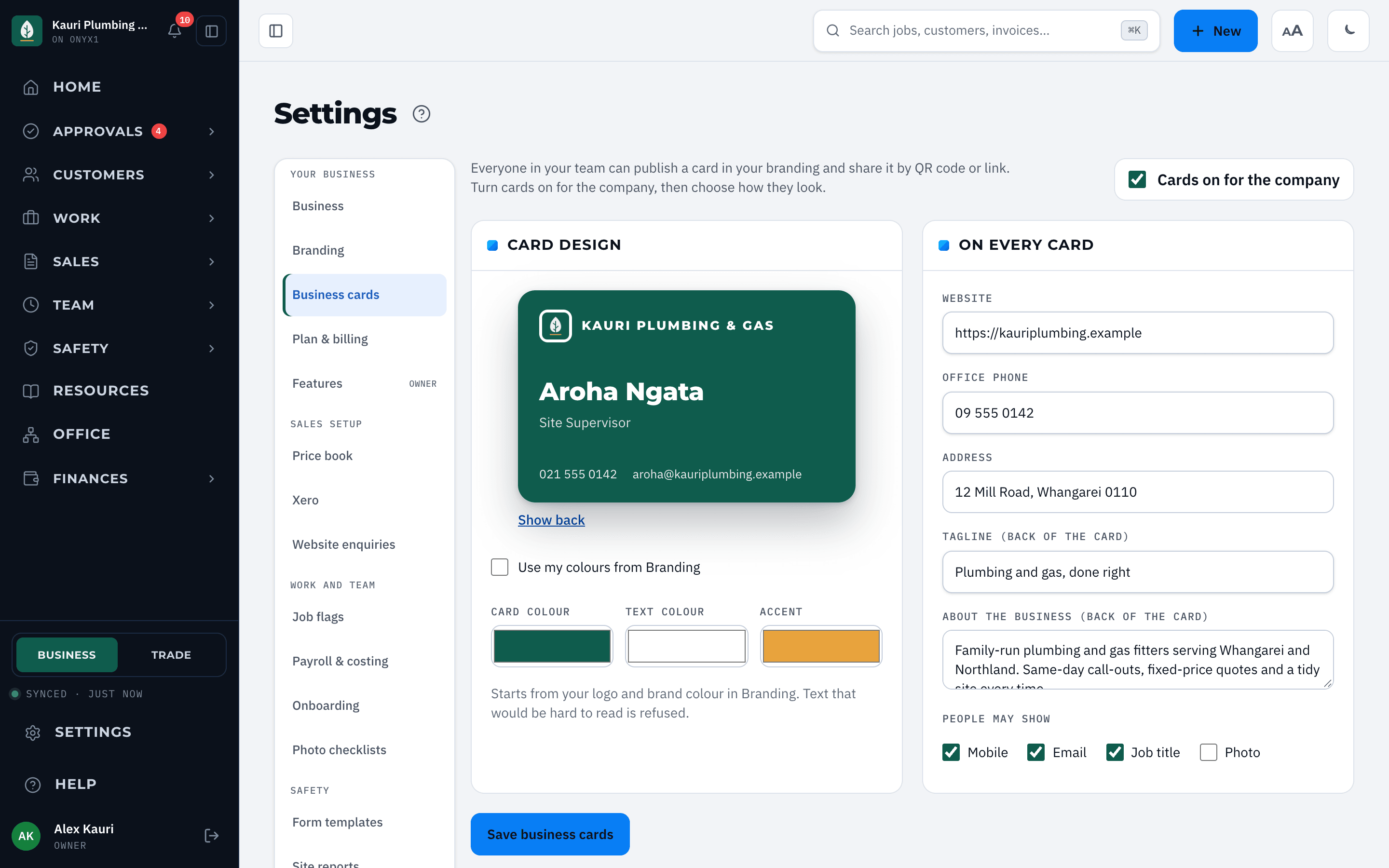
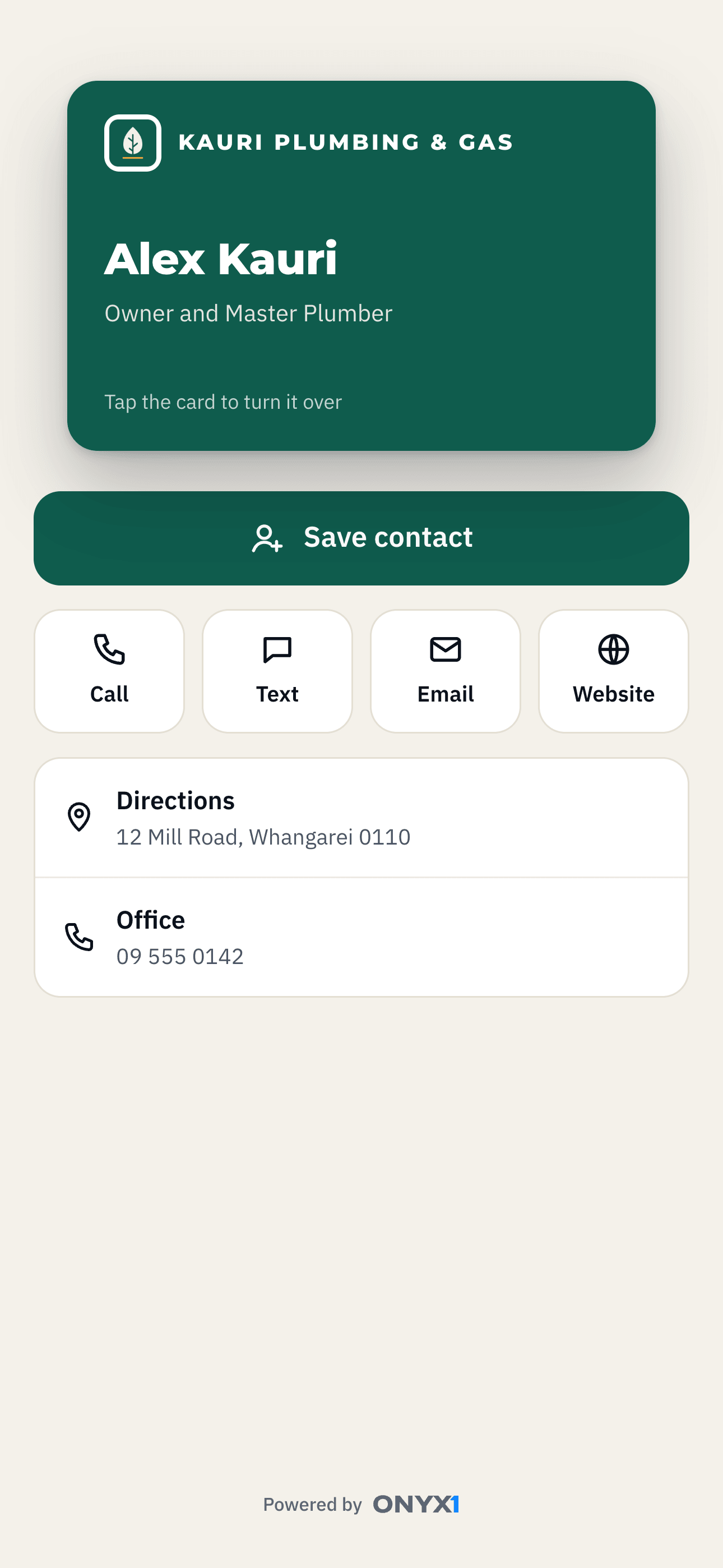
The card your customer opens, and the settings behind it. Real product, demo data.
Each person gets a card with the business logo and colours. The owner or an admin switches cards on for the company, chooses the card colours and sets which personal details people may show.
Share it at the job
Show the QR code or send the link. The person who opens it can save your details as a contact, call, text, email, visit your website or get directions. They do not need to install an app.
Add the card to a wallet
Add your live card to Apple Wallet or Google Wallet. The pass shows the details your company allows and includes a QR code that opens the card page.


Included with Pro and Enterprise
Digital business cards are included on Pro and Enterprise, and during the free trial. The owner or an admin can turn cards off for the company, or switch off one person's card.
Set it up
Step by step, in the ONYX1 help centre.